<div data-elementor-type="wp-post" data-elementor-id="629" class="elementor elementor-629" data-elementor-post-type="post">
						<section class="elementor-section elementor-top-section elementor-element elementor-element-3c8e450 elementor-section-boxed elementor-section-height-default elementor-section-height-default" data-id="3c8e450" data-element_type="section">
						<div class="elementor-container elementor-column-gap-default">
					<div class="elementor-column elementor-col-100 elementor-top-column elementor-element elementor-element-782ab4d" data-id="782ab4d" data-element_type="column">
			<div class="elementor-widget-wrap elementor-element-populated">
						<div class="elementor-element elementor-element-a6e5bc6 elementor-widget elementor-widget-heading" data-id="a6e5bc6" data-element_type="widget" data-widget_type="heading.default">
				<div class="elementor-widget-container">
					<h2 class="elementor-heading-title elementor-size-default">Intro</h2>				</div>
				</div>
				<div class="elementor-element elementor-element-0ee7848 elementor-widget elementor-widget-text-editor" data-id="0ee7848" data-element_type="widget" data-widget_type="text-editor.default">
				<div class="elementor-widget-container">
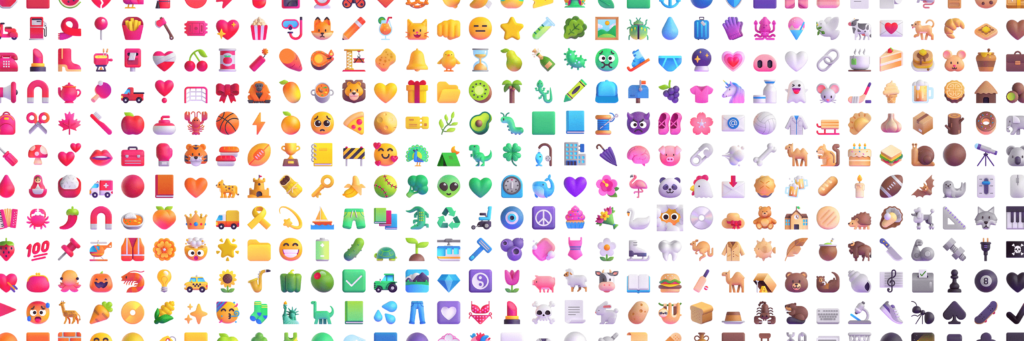
									<p>Since the release of Windows 10 emoji has been a consideration for Microsoft and this is true with Windows 11 too.</p><p>Microsoft has recently refreshed all its emoji, going from a flat simple design to ones with more expression and individualism, I personally welcome the upgrade and think it’s a great improvement.</p><p>You can read more about the the emoji you&#8217;ll see in Windows 11 and Teams on the <a href="https://medium.com/microsoft-design/emotionality-at-work-398182387adc">Microsoft Design blog</a>.</p>								</div>
				</div>
				<div class="elementor-element elementor-element-5d5893d elementor-widget elementor-widget-heading" data-id="5d5893d" data-element_type="widget" data-widget_type="heading.default">
				<div class="elementor-widget-container">
					<h2 class="elementor-heading-title elementor-size-default">Method (Open the emoji keyboard)</h2>				</div>
				</div>
				<div class="elementor-element elementor-element-9b8f9a8 elementor-widget elementor-widget-text-editor" data-id="9b8f9a8" data-element_type="widget" data-widget_type="text-editor.default">
				<div class="elementor-widget-container">
									<p>You need to bring up what Microsoft calls the <strong>emoji keyboard</strong> by pressing the Windows key and full-stop/period:</p><p><img class="size-medium wp-image-633" src="http://techzilica.com/wp-content/uploads/2022/09/⊞windows-.1-300x75.png" alt="Windows key + ." width="300" height="75" /></p><p>From the emjoi keyboard, you&#8217;ll be able to put gifs, symbols and emojis.</p><p>Clippy has made a comeback as the paperclip emoji!</p><p><img class="alignnone size-medium wp-image-635" src="http://techzilica.com/wp-content/uploads/2022/09/Clippy-picture-250x300.jpg" alt="Clippy the paperclip emoji" width="250" height="300" /></p>								</div>
				</div>
					</div>
		</div>
					</div>
		</section>
				</div>
		
How to get emoji in Windows 11